
The short version
- Your first 48 hours on an influencer marketing platform should be spent on 1 real brief, not on clicking through features.
- Test in this order: search, audience data, outreach and approval, reporting, then tracking and competitor listening. Each step feeds the next.
- Start on the free Starter plan for search and creator data, then book a demo to see outreach, approvals and reporting on your own shortlist.
Most teams open a new influencer marketing platform, type “food bloggers” into the search bar, scroll a long list, and decide the database looks big. Two campaigns later they find out the approval step needs 3 email threads and the report is a CSV.
The fix is to spend the first 48 hours the way you would spend the first week of a real campaign. Pick 1 live brief, put it through every stage, and see where the platform holds and where it leaks. Here is that plan, in order, with what to look for at each step.
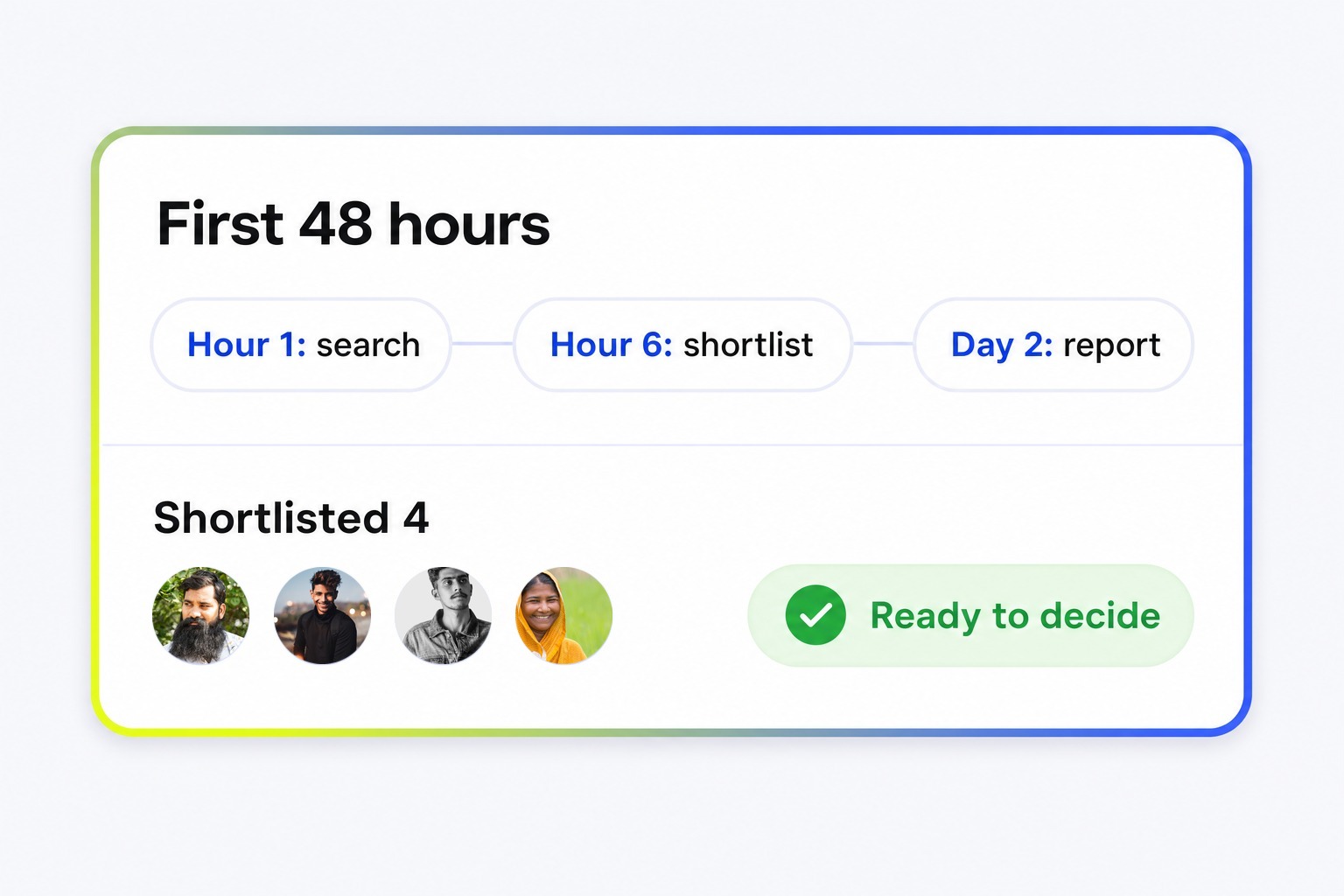
The 48-hour plan at a glance
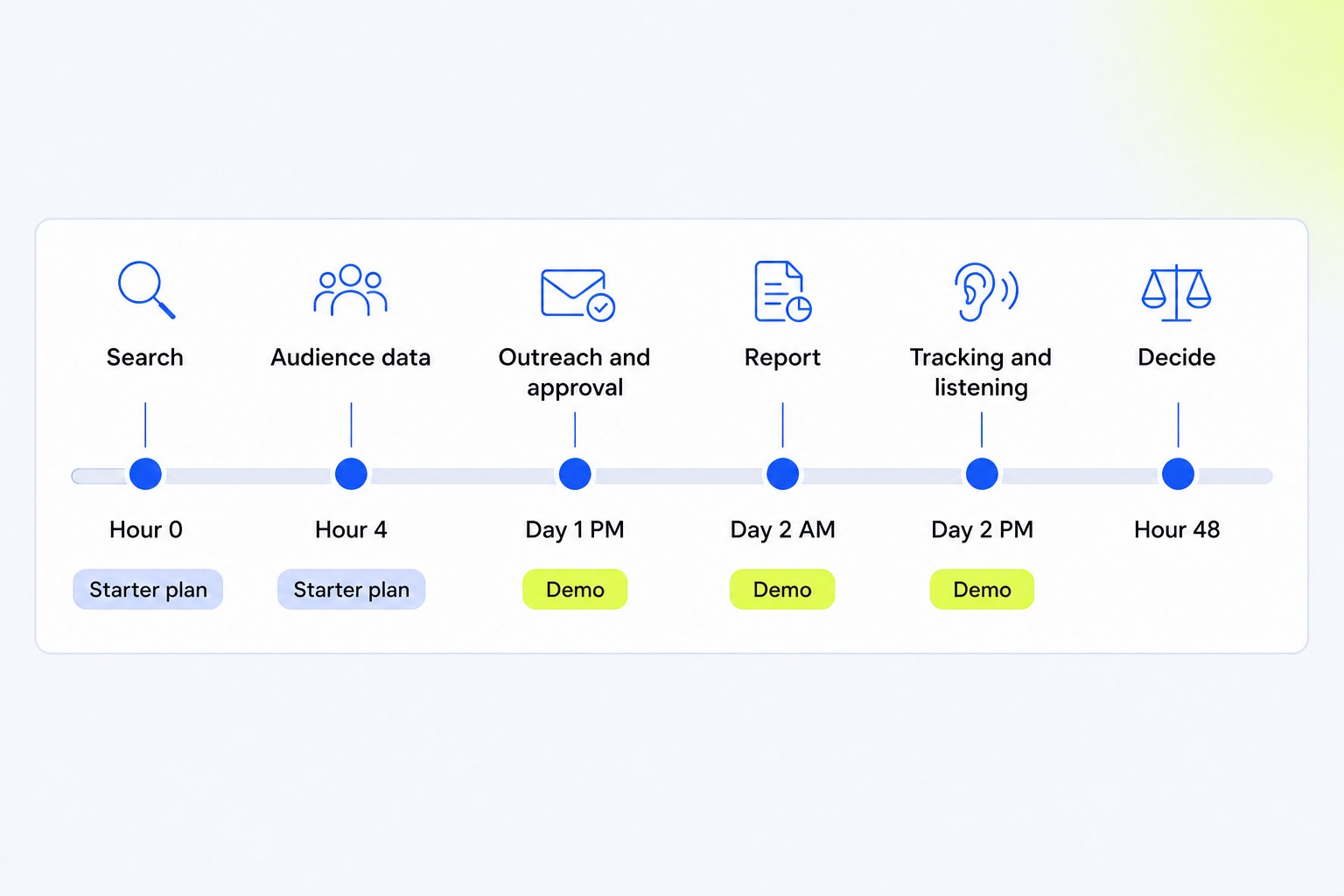
Two ways to get in. The Starter plan is free forever with no card required. It gives you 1 login and a monthly allowance of global searches, creator reports and 1 ROI report. That is enough for the first 2 steps. For outreach, approvals, live campaign tracking and competitor listening, book a 30-minute demo and bring your shortlist. The team runs a live search and analyses a creator you picked, on the call.
| When | What to test | Where |
|---|---|---|
| Hours 0 to 4 | Search with a real brief | Starter plan |
| Hours 4 to 8 | Audience data on 2 similar creators | Starter plan |
| Day 1, afternoon | Outreach and the approval step | Demo |
| Day 2, morning | What a report looks like | Starter plan and demo |
| Day 2, afternoon | Own-account tracking and competitor listening | Demo |
| Hour 48 | The decision | Your team |
Hours 0 to 4: search with a real brief
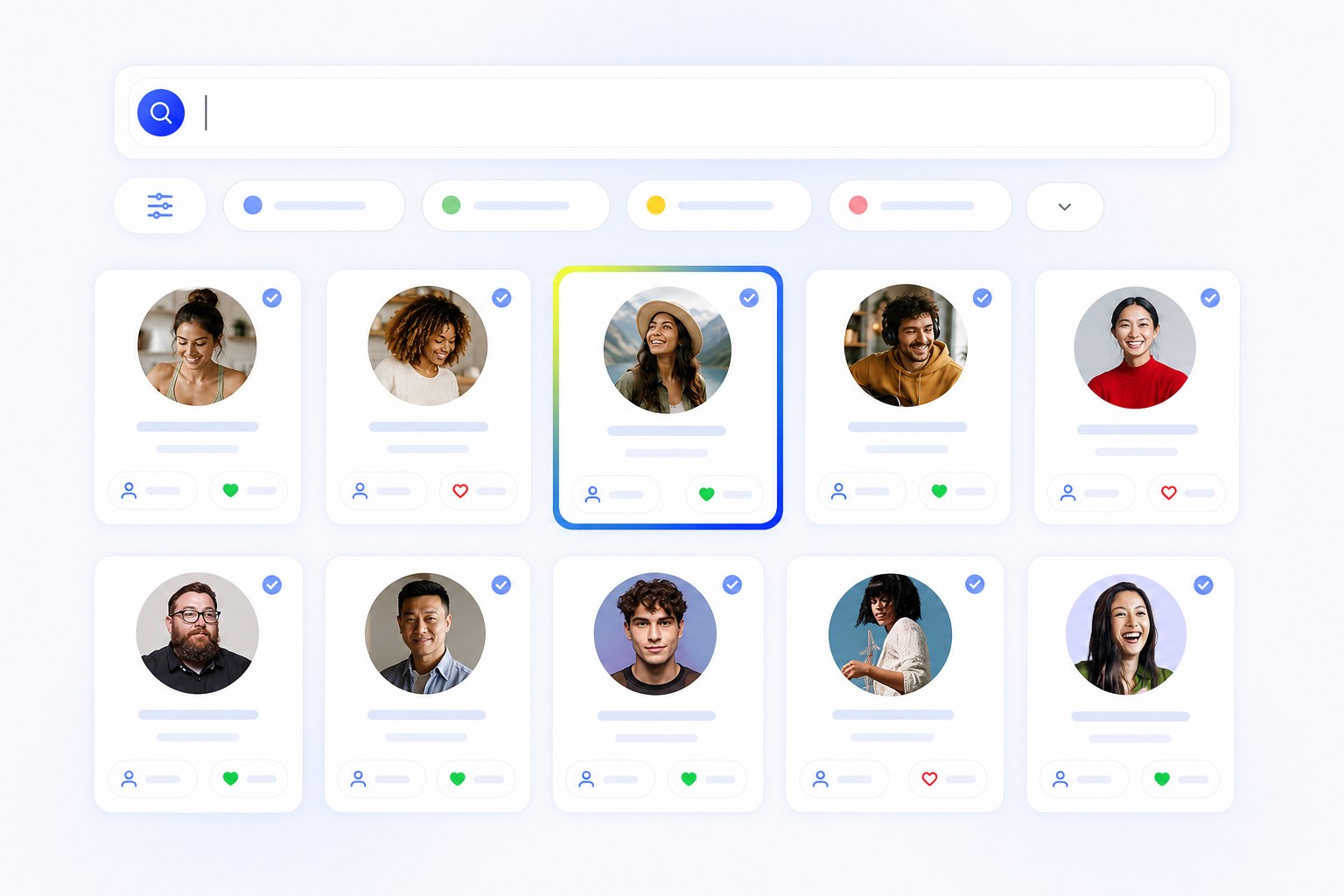
Broad queries prove nothing except that the database is large. CultureX searches 400M+ creator profiles across Instagram, YouTube and TikTok, and so do a few other platforms. What separates them is the filter depth and whether a specific brief comes back as a usable shortlist.
So write the brief the way a client would. “Micro-creators in Delhi NCR for a skincare brand, women 22 to 35 in the audience, engagement rate above 3%, contact details available.” Run it through the filters, then run a follower-count-only search for the same category. The gap between those 2 lists is what the 35+ filters are worth to you.
Four search routes are worth trying in the Influencer Suite during this window:
- Global search: the main discovery layer, with filters on demographics, geography, creator tier, engagement, views and audience credibility.
- Content search: search by brand name, creator handle or keyword to see what formats already perform in your category before you brief anyone.
- Buckets: save the shortlist, or import a list you already have, so the next steps start from real names.
- Directory: a pre-vetted list of nearly 30,000 creators with verified contact details, organised by category, for briefs that need a fast start.
A good result at hour 4 is a bucket of 20 to 30 creators you would actually brief. If you cannot get there from a real brief, the rest of the workflow does not matter.
Hours 4 to 8: check audience data on 2 similar creators
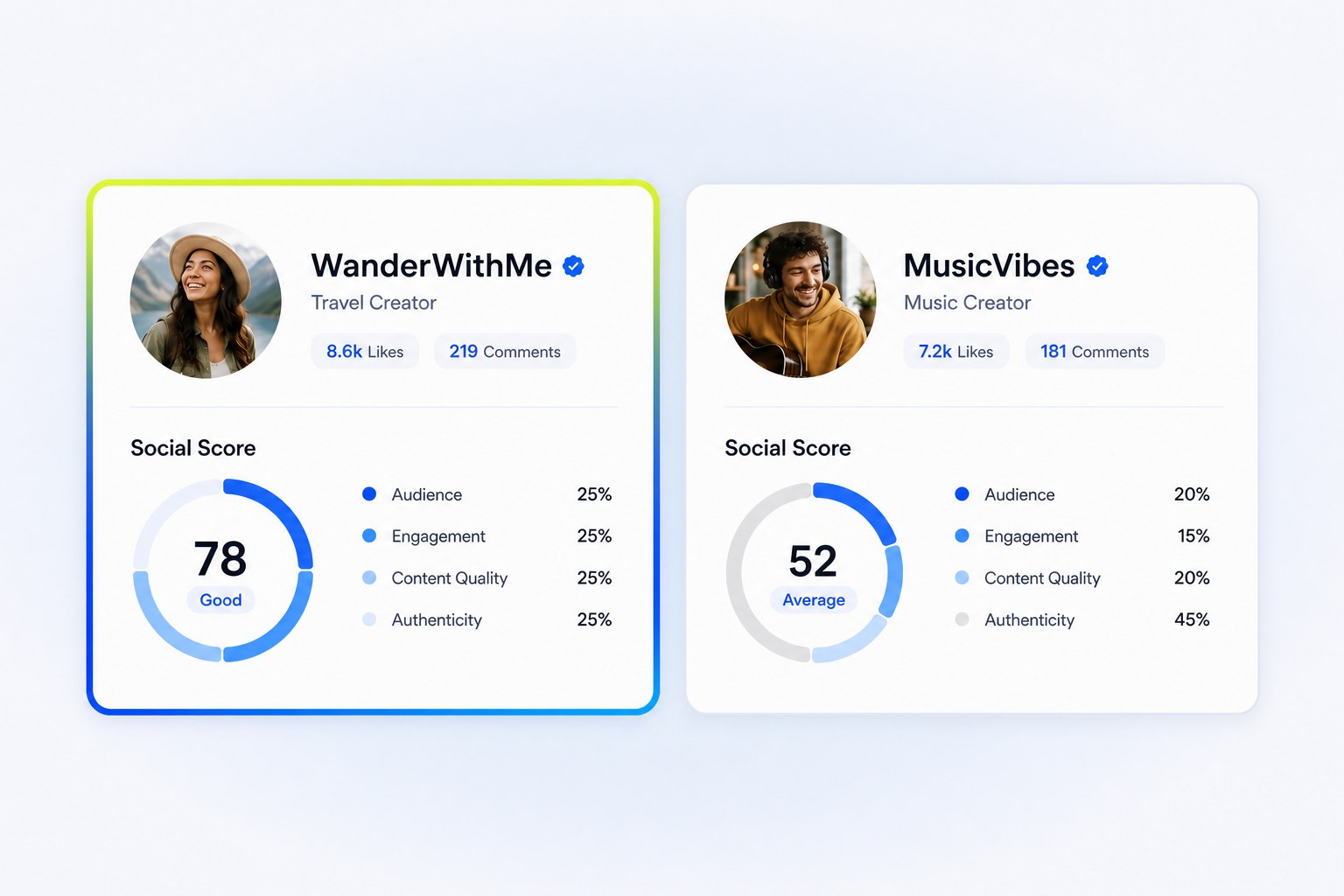
Pull 2 creators from the bucket with similar follower counts in the same niche and open them side by side. The difference in audience quality between 2 lookalike profiles is where most shortlisting decisions should be made, and it is invisible from the follower number.
Check 4 things per creator:
- Audience breakdown: the split between real users, suspicious accounts, mass followers and other influencers. A creator whose audience is 30% mass followers reaches far fewer people than the count suggests.
- Social Score: a single quality score per creator, so you can rank the bucket by overall quality instead of any 1 metric.
- Audience demographics: age split, gender and location taken from the audience itself, not from the creator’s bio.
- Content safety: posts flagged for sensitive keywords, competitor mentions and other brand-risk themes. Some flags are incidental, so review them by hand before dropping anyone.
The Starter plan’s monthly allowance of advanced creator reports is meant for exactly this. Spend them on the 2 or 3 creators you are least sure about. For the full vetting routine, see how to vet influencers before signing.
Day 1, afternoon: run outreach and the approval step
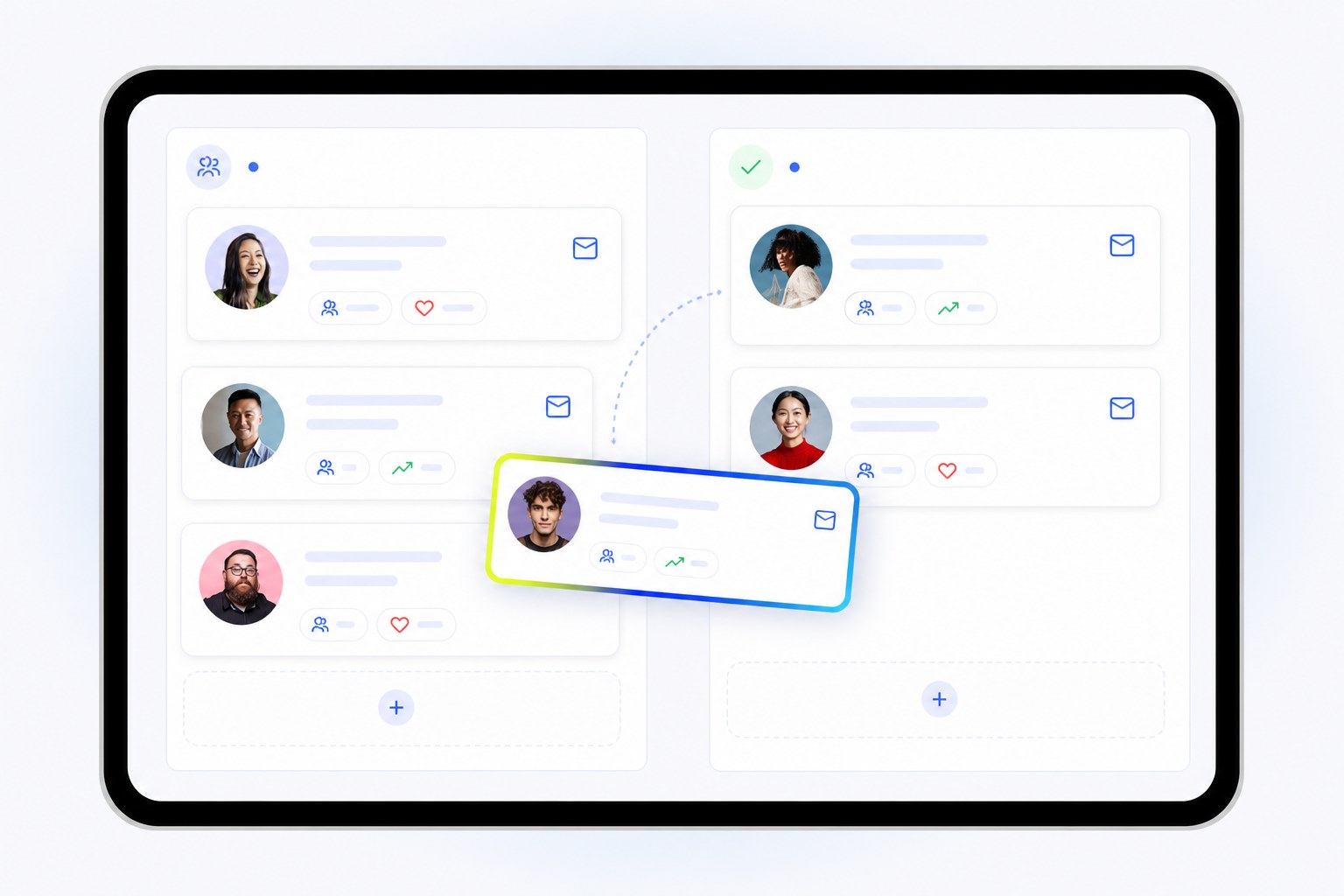
This is where spreadsheets break and where a demo earns its 30 minutes. Ask to see the full media planning flow on your own bucket.
Media plan. The shortlist becomes a plan with the platform and deliverable type set per creator: reels, stories, shorts, long-form video. Deliverables are defined up front, so the pricing conversation is about the same thing on both sides.
Bulk outreach. Outreach goes out from your connected inbox using a template with personalisation fields. Each creator gets a form link to submit price, availability and notes. When the response lands, the price appears on the media plan next to the outreach history, so negotiation happens on the board rather than across 40 email threads.
Approval. Operator and approver are separate roles by design. The operator, usually the agency or the in-house team, builds the priced plan. The approver, usually the brand lead or the client, gets the board and accepts or drops each creator with a reason. Approved creators move straight into the live campaign. If 1 person is both, they switch between the 2 views.
Test the approval step with a real external stakeholder if you can. It is the step most likely to save you time, and the one most platforms hide behind a “share” button that turns out to be an export. Snapdeal cut campaign setup time by 40% and improved campaign efficiency by 60% mainly by moving this part onto 1 board.
Day 2, morning: see what a report looks like before a campaign
You do not need a finished campaign to judge the reporting. The Starter plan includes 1 ROI report, which is enough to build a sample.
Set up a report with a brand, a budget, an objective and a date range. Add a few live links from a past campaign. The report should calculate views, likes, comments, shares, engagement rate, CPE, CPV and ROI on its own, and show sentiment on the comments. Then share it as a link and open it on a phone. If a client cannot read it in 2 minutes without you on the call, it is not a client report.
The question to answer here is whether the report is a byproduct of the campaign or another thing to build. For campaigns run end to end on CultureX, links and budget are already captured, so the report is the former.
Day 2, afternoon: test own-account tracking and competitor listening
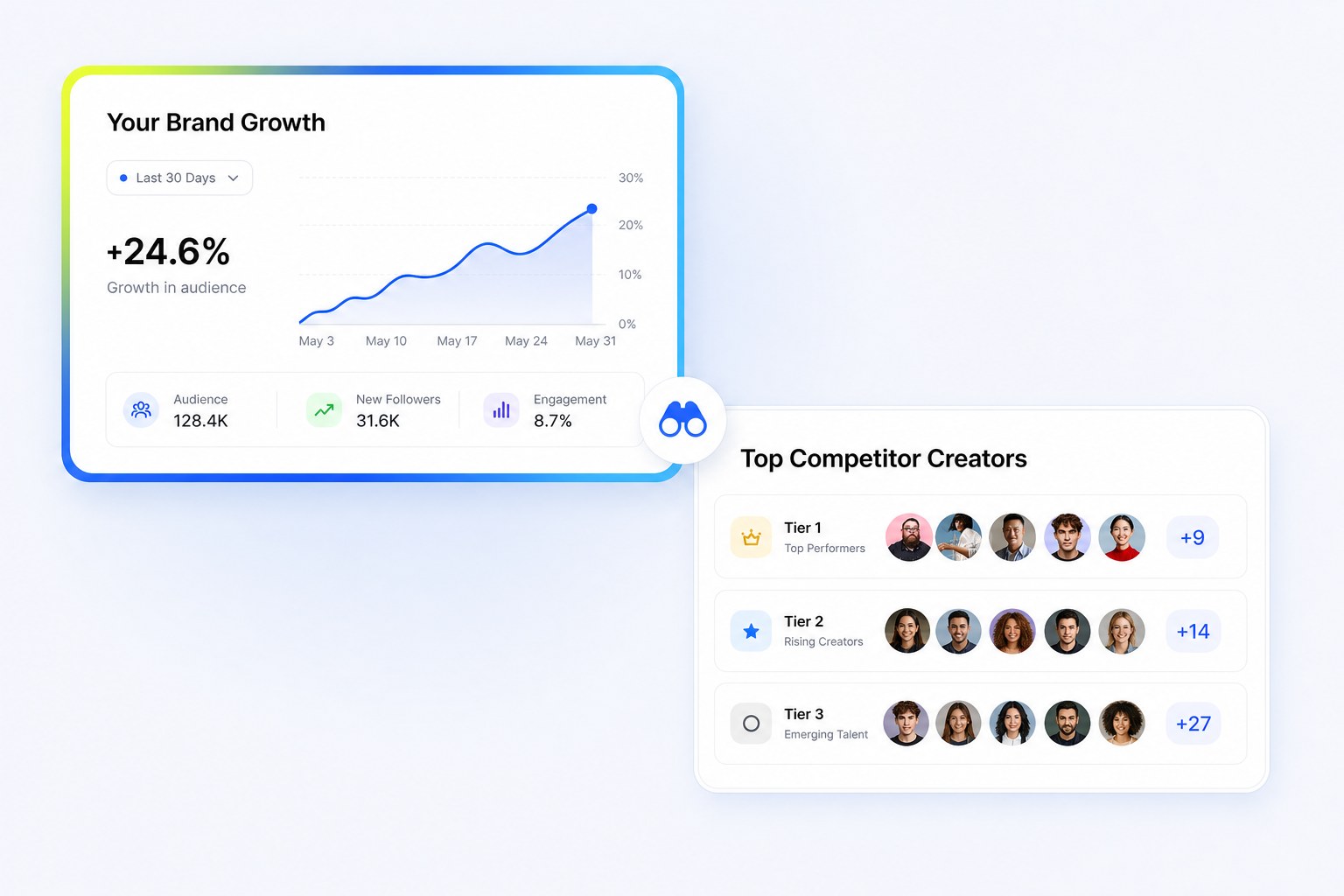
Two layers most buyers forget to evaluate, because they are thinking about the campaign and not what happens between campaigns.
Own-account tracking. Connect the brand’s Instagram or YouTube account in the Tracking Suite and watch how quickly growth, top posts and comment sentiment appear. Run a campaign hashtag the brand used recently and see post volume and engagement update. If the brand runs creator campaigns alongside owned content, this is where both show up on 1 screen.
Competitor listening. In the Listening Suite, pull up 1 direct competitor. See which creators they have worked with recently, how their creator mix breaks down from nano to macro, and how much content they put out over what period. If a creator on your bucket is mid-campaign for a rival brand, you want to know before the brief goes out. The full method is in our guide to social media competitor analysis.
If there is time left, ask to see the Community Suite: an onboarding form shared through a bio link, with submissions landing on a live member dashboard. It is the piece that stops the creator roster resetting to a spreadsheet after every campaign.
Hour 48: what a good result looks like
The subscription is not the expensive part of getting this wrong. The expensive part is running 3 campaigns on a platform that only covers half the workflow, then migrating mid-year.
By hour 48 you should have a real bucket built from a real brief, audience data on the creators you doubted, a priced media plan that went through an approval board, a sample report you would send a client, and a view of what 1 competitor is doing. If every 1 of those exists, the platform covers the workflow. If 2 of them are still screenshots, you have tested the demo, not the product.
Agencies weighing branded client views should also read white-label vs enterprise influencer platforms before choosing a plan.
See CultureX in action
Bring your brief and your shortlist. We will run the search, the audience check and the media plan live on the call.
Frequently asked questions
What should I test first on an influencer marketing platform?
Search, with a real brief. Run an actual campaign brief through the filters and compare it against a follower-count-only search for the same category. If the platform cannot produce a shortlist you would brief from a real brief, the rest of the workflow does not matter.
Is there a free way to try CultureX?
Yes. The Starter plan is free forever with no card required. It includes 1 login, a monthly allowance of global searches and creator data reports, and 1 ROI report. Outreach, approvals, live campaign tracking and competitor listening are on paid plans, and the demo shows them on your own shortlist.
Can I test competitor tracking before I buy?
Yes, on the demo. Ask the team to pull up 1 direct competitor, show which creators they have worked with recently and how their creator mix breaks down by tier. It takes a few minutes and tells you whether the listening layer is real.
Do I need my team involved, or can I test alone?
Search, audience data and the sample report can be done alone on the Starter plan. The approval step is worth testing with an actual client or manager, because that is the step where most platforms fall back to email.
What happens to my shortlists after the first 48 hours?
Buckets and reports built on the Starter plan stay in your account, because the plan does not expire. The more useful question at hour 48 is whether the shortlist, the media plan and the sample report are worth keeping. If they are, the platform has already done its job.